
B1G Player: B1G IPTV App & B1G APK +B1G IPTV UK Subscription
Install B1G Player on a compatible Firestick, Fire TV or Android device, choose a B1G IPTV Subscription from £10 and receive the private login details and setup guidance needed to get started.
Use one organised interface to explore the available live television, sports, films and TV series, with EPG, selected Catch-Up and SD, HD, Full HD and 4K options where supported by the source, device and connection.
Try the B1G free trial to check compatibility before choosing a longer subscription where a trial is available.
What Is B1G Player?
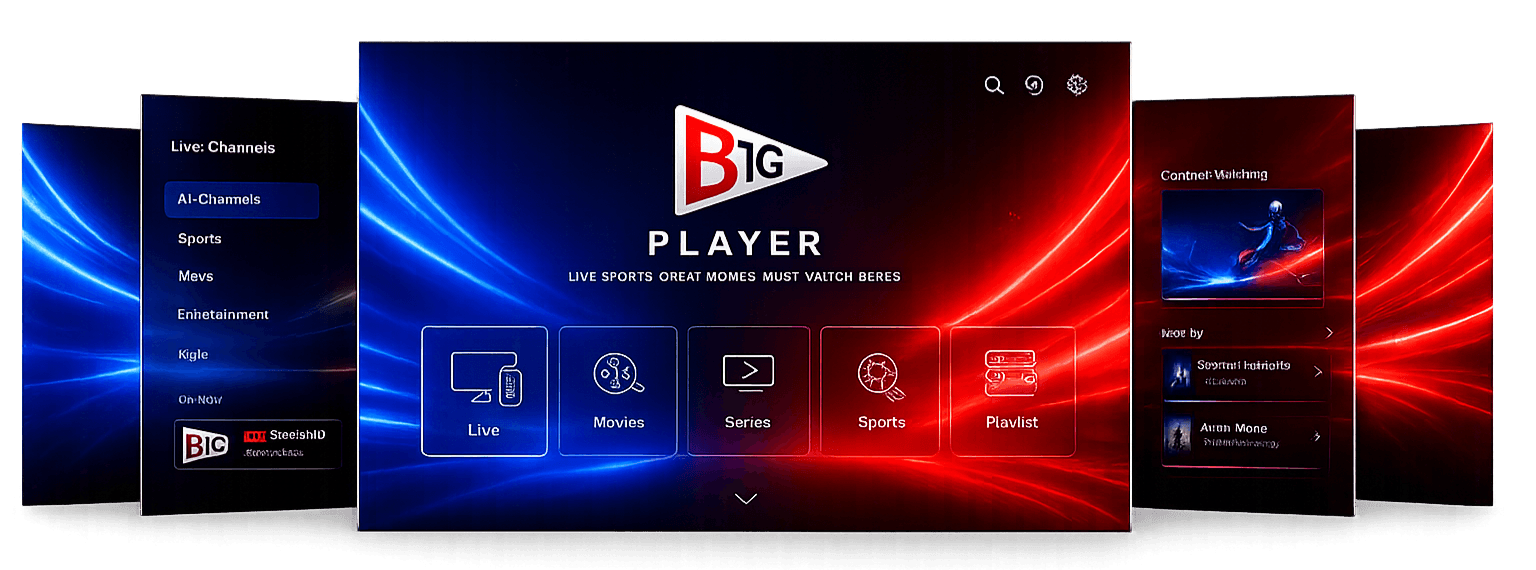
B1G Player is the viewing application used to access and organise an active B1G IPTV account on compatible Fire TV and Android devices.
If you have searched for “b1gplayer”, “big player”, “B1G TV” or “B1GTV”, these terms can refer to searches for the B1G Player experience. The important distinction is that B1G Player is the application, while the B1G IPTV Subscription provides the account access.
After activation, customers enter the username, password, and server address supplied with their account. B1G Player then organises the available live channels, films, TV series and programme information into separate sections.
The player may provide features such as:
- Live television categories
- Film and TV-series libraries
- Electronic Programme Guide
- Search
- Favourites
- Recently viewed content
- Selected Catch-Up
- Audio and subtitle controls where supplied
- SD, HD, Full HD and selected 4K playback
B1G Player is the application, while B1G IPTV is the subscription account. Installing the app alone does not provide an active catalogue, and purchasing a subscription does not automatically install the app on a device. Customers using Samsung, LG, Apple, Windows or Mac devices normally access the same subscription through a compatible third-party player.
This distinction is also useful if you are searching for a B1G APK. An APK is an Android application package, so the correct installation method depends on the device you are using. Do not install an Android APK on an incompatible operating system.
Choose Your B1G IPTV Subscription
Select the B1G Player Subscription UK from our plans. Every standard plan includes one active connection, private login details, the same core catalogue, and setup guidance. The main difference is the subscription duration and effective monthly cost.
1 Month
A flexible option for customers who prefer short-term access.
- Access period: 1 month
- One active connection
- 35,000+ live television channels
- 50,000+ movies
- 10,000+ television series
- Sports and entertainment categories
- HD, Full HD and 4K where supported
- Electronic Programme Guide (EPG) where available
- Catch-Up where available
- Official B1G Player app access
- Instant account activation
- UK customer support
3 Months
A practical choice for customers who want greater value without making a long-term commitment.
- Access period: 3 months
- One active connection
- 35,000+ live television channels
- 50,000+ movies
- 10,000+ television series
- Sports and entertainment categories
- HD, Full HD and 4K where supported
- Electronic Programme Guide (EPG) where available
- Catch-Up where available
- Official B1G Player app access
- Instant account activation
- UK customer support
6 Months
A better-value option for regular viewers who want six months of uninterrupted account access.
- Access period: 6 months
- One active connection
- 35,000+ live television channels
- 50,000+ movies
- 10,000+ television series
- Sports and entertainment categories
- HD, Full HD and 4K where supported
- Electronic Programme Guide (EPG) where available
- Catch-Up where available
- Official B1G Player app access
- Instant account activation
- UK customer support
12 Months + 1 Free
Our best long-term value, providing a full year of access plus one additional month at no extra cost.
- Access period: 13 months in total — 12 months plus 1 month free
- One active connection
- 35,000+ live television channels
- 50,000+ movies
- 10,000+ television series
- Sports and entertainment categories
- HD, Full HD and 4K where supported
- Electronic Programme Guide (EPG) where available
- Catch-Up where available
- Official B1G Player app access
- Instant account activation
- UK customer support
What Is Included with B1G IPTV Player?
The current advertised wider catalogue includes:
Catalogue and account access
- 35,000+ live channels
- 50,000+ films
- 10,000+ TV series
- UK and international television categories
- Sports and entertainment sections
- News and documentaries
- Family and children’s categories
- Electronic Programme Guide where supplied
- Selected Catch-Up where available
- SD, HD, Full HD and 4K sources where available
- Private username, password and server details
- Installation and login guidance
- Customer account support
Private login details
Customers receive a private username, password and server address, together with installation guidance and account support. These details should be kept private and should not be posted publicly.
Availability can change
Catalogue totals describe the wider service when published. Channels, titles, languages, EPG information, Catch-Up and picture quality can change because of source availability, maintenance, regional restrictions and applicable rights.
If one particular category is important, ask support to confirm its current availability before purchasing a longer plan.
Live Television, Sports, Films and TV Series
Live television
Browse available entertainment, news, lifestyle, documentary, family and international categories through one organised B1G Player interface without switching between several separate players.
Sports categories
Available sports sections may include football, cricket, rugby, motorsport, boxing and other events. Competition schedules and source availability can change, so customers should request a current check when a specific event is important.
Films
Explore available action, comedy, drama, thriller, documentary, family and international films organised by category.
TV series
Browse available series, seasons and recently added programmes. Exact titles and the number of complete seasons vary over time.
News and documentaries
Access available current-affairs, factual, history, nature, science, technology, culture and travel categories.
Parents and guardians should check programme suitability and use parental controls where the chosen player provides them.
B1G Player App Features
Features can vary by app version, device and source, but B1G Player may include:
A player feature can work only when the selected source supplies the required information. For example, subtitle controls may appear in the application even though a particular programme does not include subtitles.
B1G Player, B1GTV and B1G APK Explained
Several different search terms can lead users to the same B1G IPTV topic. You may see searches such as “b1gplayer”, “big player”, “bigtv”, “B1G TV”, “B1G APK,” or “B1G Player”.
Here is the simple difference:
B1G Player
B1G Player is the application used to access an active B1G IPTV account on supported devices.
B1G IPTV
B1G IPTV is the subscription/account that provides the available catalogue and login details.
B1G APK
B1G APK refers to an Android application package used when an Android-compatible installation requires an APK.
B1GTV or B1G TV
B1GTV or B1G TV may be used as a search variation by people looking for B1G television or the B1G Player service.
b1gplayer and big player
“b1gplayer” and “big player” are alternative search phrases users may enter when looking for the B1G Player app.
Using the correct app and installation method for your device is more important than the search term you use.
Devices That Work with B1GPlayer
Firestick and Fire TV
Compatible Fire OS devices can install B1G Player through the verified Downloader route. Device menus and third-party installation support can vary by model.
Android TV and Google TV
Compatible Android televisions and boxes can use the supported B1G Player Android build.
Samsung and LG Smart TVs
Samsung Tizen and LG webOS televisions normally require an IPTV player from the television’s official app store.
iPhone, iPad and Apple TV
Apple customers use a compatible App Store player supporting the supplied account format.
Windows and Mac
A compatible desktop application can be used with the supplied Xtream Codes or M3U information.
Any charge made by an independent player developer is separate from the B1G IPTV Subscription unless the order clearly states otherwise.
How to Start Using B1G Player UK
Check your device
Confirm its exact manufacturer, model, and operating system before downloading or installing anything.
Request a trial or choose a plan
If you are new to the service, consider requesting a B1G free trial first where available. Otherwise, choose the subscription duration that matches your needs.
Receive private login details
Keep the username, password, and server address secure.
Install the correct player
Use B1G Player on compatible Android or Fire TV devices and an appropriate alternative elsewhere.
Sign in
Enter every field exactly as supplied.
Allow the first update to finish
Large catalogues and EPG information can take time to load.
Test the service
Open several live and on-demand items before adjusting advanced settings.
Test B1G IPTV Before Choosing a Longer Plan
A trial helps confirm whether the application, device, and internet connection work together.
For a useful test:
- Use the same device you intend to keep.
- Test in the room where you normally watch.
- Allow the first catalogue update to finish.
- Open several live and on-demand items.
- Check EPG, search, favourites, audio and subtitles.
- Test during your normal viewing hours.
- Confirm that one active connection is sufficient.
- Report repeatable problems before the trial ends.
One Active Connection Explained
A standard subscription includes one active stream at a time.
The account may be saved on multiple compatible personal devices, but starting playback on a second screen can interrupt the first session or trigger an account-security check.
Ask about a multi-connection option before ordering if:
- •Two televisions need to play simultaneously
- •Two household members regularly watch at the same time
- •The account will be active on two screens
- •Simultaneous mobile and television viewing is required
Installing the login on several devices does not automatically increase the active connection allowance.
Picture Quality and Playback
Available resolutions can include SD, HD, Full HD, and selected 4K sources. Actual playback depends on:
Playback depends on
- Original source quality
- Selected stream
- Device performance
- Display capability
- Player compatibility
- Broadband stability
- Wi-Fi strength
- Other household internet use
For better results:
- Use Ethernet where possible.
- Keep Wi-Fi devices close to the router.
- Use a strong 5 GHz or 6 GHz connection.
- Avoid large downloads while watching.
- Close unnecessary background apps.
- Maintain free device storage.
- Restart the player and router when needed.
- Select a quality suitable for the connection.
No internet-delivered television service can responsibly guarantee that interruption or buffering will never occur.
B1G Player Support
Support can assist with:
Account and setup help
- •Device compatibility
- •Subscription-plan selection
- •B1G free trial requests
- •B1G Player and app installation
- •B1G APK installation guidance where applicable
- •Login errors
- •Server-address entry
- •Catalogue refreshes
- •EPG checks
- •Connection questions
- •Renewals
- •Payment enquiries
- •Reseller applications
Support Centre
Frequently Asked Questions
B1G Player is the viewing application used with an active B1G IPTV account on compatible devices. It organises available live television, films, TV series and programme information into an accessible interface.
No. B1G Player is the viewing application. B1G IPTV is the active subscription account used with the application.
A B1G free trial may be available for new customers who want to test compatibility before choosing a longer plan. Contact support to confirm the current trial duration, conditions, and availability.
A B1G Player subscription generally refers to the B1G IPTV subscription/account used to access the available service through B1G Player or another compatible player. The app itself and the subscription should be treated as separate components.
A B1G APK is an Android application package. If an APK installation is required for your compatible Android device, use the installation method and file supplied or recommended by the service and make sure it matches your device.
Compatible Firestick and Fire TV devices can use the supported B1G Player installation method. Always check your exact Fire OS device before installation.
“b1gplayer” is simply another way users may type B1G Player when searching for the app or service online.
Some users may type “big player” when searching for B1G Player. For the correct app and installation information, use the B1G Player name and check your device compatibility.
“B1GTV” or “B1G TV” can be used as a search variation for people looking for B1G television services or B1G Player information. The specific product should always be confirmed before installation or purchase.
Plans currently start at £10 for one month. Three months cost £20, six months cost £30, and twelve months plus one free month cost £45.
No. Picture quality varies by source, device, display, player, and connection.
A standard account permits one active stream. Request a multi-connection option if two screens must play simultaneously.
Not automatically. Some Smart TV and mobile applications charge their own fee.
Activation begins after the order and payment have been checked.
It should expire at the end of its term unless recurring renewal is clearly offered and accepted.